How to activate domestic money transfer
Getting DMT switched on, why remitter KYC is not optional paperwork, and the four things to check before you accept cash across the counter.
Before you start
- An active SiOnline agent account with a funded wallet
- Your own KYC documents — PAN and Aadhaar
- The mobile number your account uses for OTP
Domestic money transfer is the service that makes a counter useful to people who do not have a smartphone, a bank branch nearby, or the confidence to use either. The customer brings cash; the money reaches a bank account.
It is also the service with the most regulation attached, and the part agents most often treat as paperwork is the part that actually matters.
Getting it switched on
- Call us on the number published on this site and say you want DMT enabled. It sits on your existing account rather than being a separate registration.
- Complete your own KYC — PAN and Aadhaar, against the details already on your account.
- Be onboarded to the sponsor bank. DMT runs through a bank, not through us directly, and that bank has its own onboarding.
- Fund your wallet. Transfers draw on wallet balance, so an unfunded wallet is a counter that cannot transact.
- Do one small test transfer before you serve a customer with it. Every agent who skips this learns the interface in front of somebody who is waiting.
Remitter registration is the whole job
Before a customer can send money, they are registered as a remitter: name, mobile number, and verification against that number.
This is not a form to get past. It is the record of who sent the money, and it is what the regulation exists to establish. Two consequences follow, and both are worth understanding before you open the counter:
Register each customer under their own details. Not yours, not a relative’s, not a previous customer’s because it is quicker. An agent who routes several people’s money through one registered remitter has created a problem that is very difficult to explain afterwards.
The mobile number must be the customer’s. OTP verification goes to it. Using your own shop number to register remitters defeats the entire mechanism.
Adding a beneficiary
The receiving account is added against the remitter:
- Account number, entered twice and checked
- IFSC of the branch
- Name as it appears on the account
Where the system offers a name check against the account, use it and read what comes back. A customer who has recited the account number from memory is wrong often enough that the check pays for itself.
Four checks before you accept the cash
Do these in order, at the counter, before money changes hands:
- Wallet balance is sufficient. Discovering otherwise mid-transaction is avoidable.
- The beneficiary account is verified, not just typed in.
- The remitter is registered in their own name and their OTP has come through.
- The customer knows the timing. Transfers are usually quick, but a delayed credit is a normal outcome and not a lost payment. Saying so in advance prevents the argument.
When something goes wrong
The transfer failed. It reverses. Confirm the reversal before re-sending; a duplicate transfer is far worse than a delayed one.
The money left but has not arrived. Note the transaction reference and call us. Nearly always a credit timing question at the beneficiary bank’s end.
It went to the wrong account. This is why you verify the beneficiary. Once money has reached a valid account, recovering it depends on the receiving bank and the account holder, not on us. Prevention here is genuinely the only reliable cure.
Limits, and why we do not publish them
Transaction limits under the RBI framework are set by the sponsor bank, and they have been revised more than once in recent years.
Any website quoting a fixed figure is quoting the figure that was correct when the page was written. Ask us what applies to your account today — it takes one call and it is the only answer that will still be true when you rely on it.
Interface reference
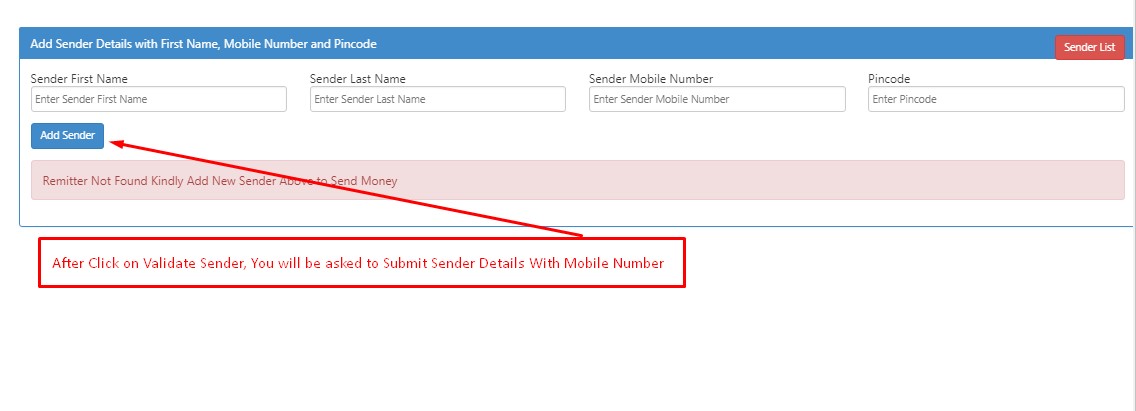
This image is retained from the previous support guide. Use the current written instructions above and confirm the current panel with support.
Never share your password. Nobody at SiOnline needs it, and no legitimate service will ask. If you need help, send us your agent ID — not your credentials.
Support runs 24 hours, 7 days
Call or WhatsApp with your agent ID. AI-assisted round the clock, with the team on hand during business hours.
+91 91091 35959Help centre
Every step-by-step guide, grouped by what you are doing.
Open the help centre